Diablo II: Resurrected外觀與模組

Diablo II: Resurrected · D2R Reimagined — 大型改造模組
對物品、工藝、技能和便利功能的徹底改革。本手冊指南使用 GitHub 3.0.11 版本,與 Nexus 3.0.12 分開。
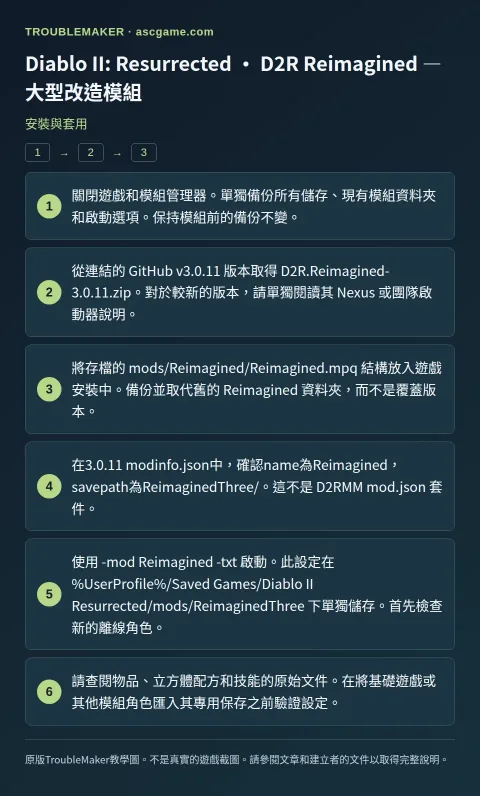
安裝與套用
- 關閉遊戲和模組管理器。單獨備份所有儲存、現有模組資料夾和啟動選項。保持模組前的備份不變。
- 從連結的 GitHub
v3.0.11版本取得D2R.Reimagined-3.0.11.zip。對於較新的版本,請單獨閱讀其 Nexus 或團隊啟動器說明。 - 將存檔的
mods/Reimagined/Reimagined.mpq結構放入遊戲安裝中。備份並取代舊的Reimagined資料夾,而不是覆蓋版本。 - 在3.0.11
modinfo.json中,確認name為Reimagined,savepath為ReimaginedThree/。這不是 D2RMMmod.json套件。 - 使用
-mod Reimagined -txt啟動。此設定在%UserProfile%/Saved Games/Diablo II Resurrected/mods/ReimaginedThree下單獨儲存。首先檢查新的離線角色。 - 請查閱物品、立方體配方和技能的原始文件。在將基礎遊戲或其他模組角色匯入其專用保存之前驗證設定。
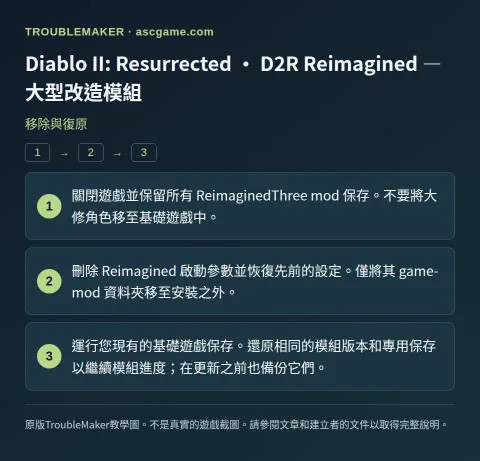
移除與復原
- 關閉遊戲並保留所有
ReimaginedThreemod 保存。不要將大修角色移至基礎遊戲中。 - 刪除
Reimagined啟動參數並恢復先前的設定。僅將其 game-mod 資料夾移至安裝之外。 - 運行您現有的基礎遊戲保存。還原相同的模組版本和專用保存以繼續模組進度;在更新之前也備份它們。