Key information
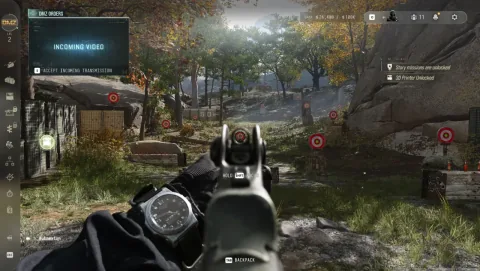
Call of Duty: Modern Warfare 4 is described as a visually impressive title, though the reviewer noted occasional texture pop-ins and flickering, particularly within DMZ mode. To balance visual fidelity with performance, the reviewer conducted tests using an RX 9070 XT, Ryzen 7 7800X3D, and 32 GB of DDR5 RAM at 1440p resolution.
For general performance, the reviewer suggests the Balanced preset for mid-range PCs and the Ultra preset for high-end rigs. To gain additional frames, players can manually adjust four specific settings found under Graphics > Quality > Advanced Quality Settings: shadow quality, shadow filtering quality, terrain quality, and detail quality.
The reviewer warns that lowering detail quality below high may result in blocky, unfinished-looking trees. While these adjustments provide a significant performance boost, the reviewer notes that enabling Quality upscaling reduces the performance gains achieved by lowering these individual settings, though it helps maintain visual crispness.
For competitive play in DMZ or multiplayer, the reviewer prefers using the Balanced preset combined with Quality upscaling to maximize frame rates. Conversely, for the campaign, the reviewer recommends keeping settings at the Ultra preset and utilizing Quality upscaling to avoid the slight loss of visual crispness associated with lower settings.