ข้อมูลสำคัญ
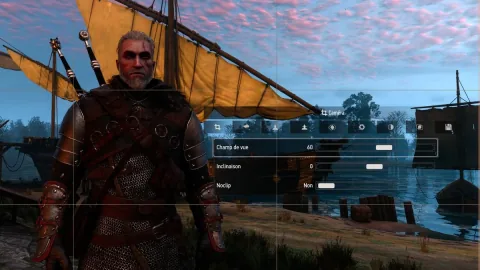
The Witcher 3 Remastered features a built-in photo mode available on PC, PlayStation 5, and Xbox Series X|S. This tool allows players to capture gameplay moments without third-party software, though it cannot be activated during cutscenes.
To trigger the mode, PC users can press the U key or L3+R3 on a controller. On PlayStation 5 and Xbox Series consoles, players must press both sticks simultaneously. Once active, users can adjust camera FOV, depth of field, visual effects like contrast and saturation, and apply frames or logos.
Some PC players may encounter a bug where the mode fails to launch. The publisher suggests checking key bindings or manually editing the input.settings file in the game's documents folder to include specific configuration blocks. While this resolved the issue for the publisher, they note it may not work for every user.
Captured images are saved differently depending on the platform. On PC, pressing the spacebar saves files to the documents folder. On consoles, players must hide the interface and use the system's native share button to store images in the console's gallery.