Informasi penting
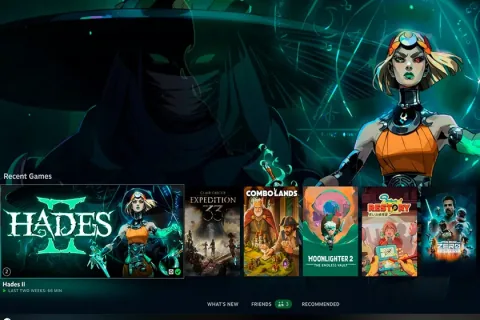
Valve has officially released the Big Art mode for the Steam client, moving it out of the testing phase. This update aims to enhance the visual experience for users of Steam Deck, Steam Machines, and the Big Picture mode by prioritizing game artwork on the home screen.
To enable the feature, users must navigate to Settings, select the Home Page menu, and activate the Extended Background option. While this layout provides more screen space for game covers, essential information remains accessible by scrolling down. Valve notes that artwork adaptation may vary between titles.
The update introduces a customizable screensaver featuring game art slideshows, recent screenshots, and a retro-style bouncing Steam logo. Additionally, Valve has implemented a default desktop mode startup option and configured non-Steam Windows executables to run via Proton automatically. Controller configuration is also improved with new button mapping capabilities and specific enhancements for the Steam Controller, including adjustable vibration intensity and a secondary Bluetooth pairing method.
Remote Play functionality has been upgraded with the experimental PyroWave system, designed to reduce latency during streaming while improving video capture and color quality. These changes are now available to all users following the latest client update.