Stardew ValleyLanguage packs

Stardew Valley Vietnamese translation by Kou
A Vietnamese translation documented for game 1.6 on PC. An older discontinued distribution points to this maintained author page.
Installation
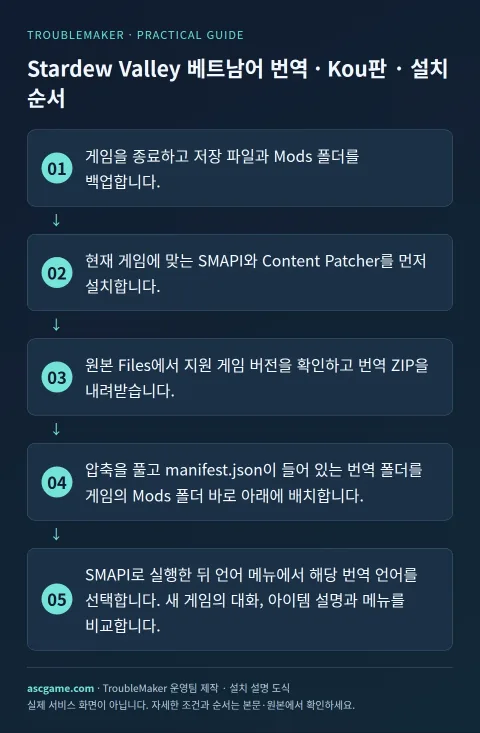
- Close the game and back up saves and the Mods folder.
- Install SMAPI and Content Patcher versions compatible with your game.
- Check supported game versions under Files and download the translation ZIP.
- Extract the translation folder containing manifest.json directly into the game Mods folder.
- Launch through SMAPI and select the translation in the language menu. Check dialogue, item descriptions and menus in a new test save.
Removal · recovery
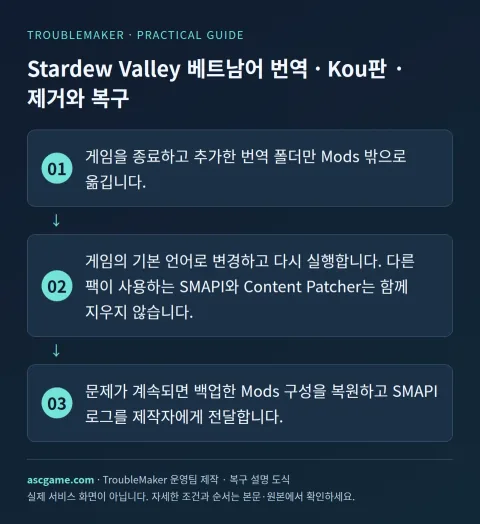
- Close the game and move only the added translation folder outside Mods.
- Select a built-in language and relaunch. Keep SMAPI and Content Patcher if other packs depend on them.
- Restore the backed-up mod configuration if needed and send the SMAPI log to the author.