Diablo II: ResurrectedSkins · mods

Diablo II: Resurrected New Emilio mercenary skin
Changes the look of Act 2 mercenary Emilio with a helm, heavy armor and spear. His actual equipment and stats are unchanged.
Installation
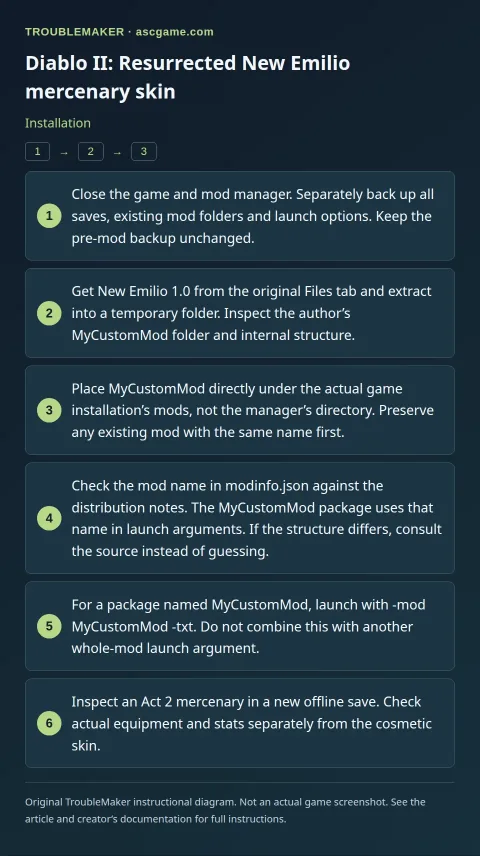
- Close the game and mod manager. Separately back up all saves, existing mod folders and launch options. Keep the pre-mod backup unchanged.
- Get
New Emilio1.0 from the original Files tab and extract into a temporary folder. Inspect the author’sMyCustomModfolder and internal structure. - Place
MyCustomModdirectly under the actual game installation’smods, not the manager’s directory. Preserve any existing mod with the same name first. - Check the mod name in
modinfo.jsonagainst the distribution notes. TheMyCustomModpackage uses that name in launch arguments. If the structure differs, consult the source instead of guessing. - For a package named
MyCustomMod, launch with-mod MyCustomMod -txt. Do not combine this with another whole-mod launch argument. - Inspect an Act 2 mercenary in a new offline save. Check actual equipment and stats separately from the cosmetic skin.
Removal · recovery
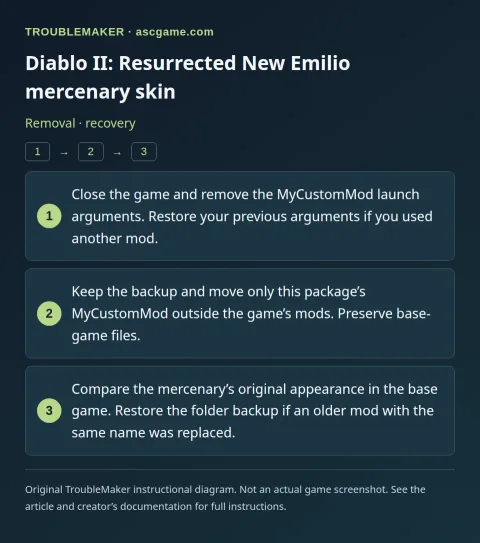
- Close the game and remove the
MyCustomModlaunch arguments. Restore your previous arguments if you used another mod. - Keep the backup and move only this package’s
MyCustomModoutside the game’smods. Preserve base-game files. - Compare the mercenary’s original appearance in the base game. Restore the folder backup if an older mod with the same name was replaced.