
Canada: buy games for less — sales, bundles and subscriptions
Before buying in Canada
This is a buying checklist, not a claim that one store is always cheapest. The reference currency for Steam in this guide is CAD; other stores may use a different currency. Compare the same game, platform and edition on your own account. Research checked on 2026-10-08. Prices, availability and subscription terms can change.
Local payment and language checks
Distinguish CAD from USD. Do not apply a US sale guide unchanged: check the edition, checkout total and key activation region for your Canadian account.
Your selected page language is not your billing country. Steam country changes require the appropriate real residence and payment conditions; do not treat a country selector or a VPN as permission to buy in a cheaper region. Check the total at checkout, supported audio and subtitles, hardware requirements and available storage.
Wishlist first, then compare bundles
Put the games you actually want on your Steam wishlist and use sale notifications. Before paying, compare the single game with bundles. Complete the Set bundles can exclude games you already own; Must Purchase Together bundles work differently. Check what your account will actually receive rather than adding up list prices for unwanted extras.
Free giveaways are not the same as trials
Check Epic’s official free-games page and the offer shown to your account. Confirm the claim deadline and whether the offer is a giveaway, a time-limited trial or a free-to-play title. Do not assume every game is offered in every country. Claiming extras you will never play is not a reason to buy a larger paid package.
Purchase or subscribe?
Use subscription comparisons only after checking your country, device, plan and the current game catalog. A monthly subscription can be worth considering for a short period of play, while a purchase may suit a game you want to return to. Compare the total for your planned play period, not just the introductory month. Access can end when a subscription expires or a game leaves its catalog; recurring billing and renewal prices also matter.
The checkout checklist
- Confirm the exact base game, edition and DLC included.
- Compare final payable amounts in a consistent currency, including displayed taxes and fees.
- Verify language, device and activation region before buying a key or gift card.
- Check the giveaway or sale deadline and subscription renewal settings.
- Keep the order receipt and check the seller’s support policy.
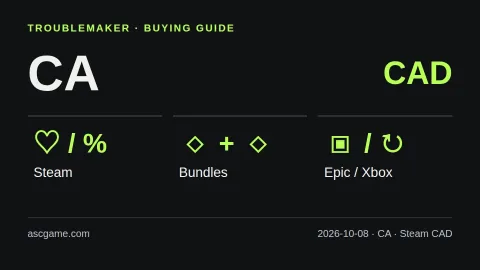
Avoid account sales, unknown key sellers and regional-circumvention instructions. Steam does not refund third-party CD keys. Advice here is our own practical comparison framework based on the official sources below, not an endorsement or a guarantee of the lowest price. The image is an original explanatory diagram, not a live store screenshot.
Official sources · checked 2026-10-08
Steam sales and wishlist alerts
Steam bundle types
Steam supported currencies
Steam store country
Steam regional key restrictions
Epic free games
Xbox subscription conditions
Xbox region availability
Gemini machine translation · Original text and source region are preserved.
Original language · ko
캐나다에서 게임 싸게 사는 법 — 세일·번들·무료 배포·구독
[Before buying in Canada]
This is a buying checklist, not a claim that one store is always cheapest. The reference currency for Steam in this guide is CAD; other stores may use a different currency. Compare the same game, platform and edition on your own account. Research checked on 2026-10-08. Prices, availability and subscription terms can change.
[image:conditions]
[Local payment and language checks]
Distinguish CAD from USD. Do not apply a US sale guide unchanged: check the edition, checkout total and key activation region for your Canadian account.
Your selected page language is not your billing country. Steam country changes require the appropriate real residence and payment conditions; do not treat a country selector or a VPN as permission to buy in a cheaper region. Check the total at checkout, supported audio and subtitles, hardware requirements and available storage.
[Wishlist first, then compare bundles]
Put the games you actually want on your Steam wishlist and use sale notifications. Before paying, compare the single game with bundles. Complete the Set bundles can exclude games you already own; Must Purchase Together bundles work differently. Check what your account will actually receive rather than adding up list prices for unwanted extras.
[Free giveaways are not the same as trials]
Check Epic’s official free-games page and the offer shown to your account. Confirm the claim deadline and whether the offer is a giveaway, a time-limited trial or a free-to-play title. Do not assume every game is offered in every country. Claiming extras you will never play is not a reason to buy a larger paid package.
[Purchase or subscribe?]
Use subscription comparisons only after checking your country, device, plan and the current game catalog. A monthly subscription can be worth considering for a short period of play, while a purchase may suit a game you want to return to. Compare the total for your planned play period, not just the introductory month. Access can end when a subscription expires or a game leaves its catalog; recurring billing and renewal prices also matter.
[The checkout checklist]
1. Confirm the exact base game, edition and DLC included.
2. Compare final payable amounts in a consistent currency, including displayed taxes and fees.
3. Verify language, device and activation region before buying a key or gift card.
4. Check the giveaway or sale deadline and subscription renewal settings.
5. Keep the order receipt and check the seller’s support policy.
Avoid account sales, unknown key sellers and regional-circumvention instructions. Steam does not refund third-party CD keys. Advice here is our own practical comparison framework based on the official sources below, not an endorsement or a guarantee of the lowest price. The image is an original explanatory diagram, not a live store screenshot.
[Official sources · checked 2026-10-08]
Steam 세일·할인 알림
Steam 번들 종류
Steam 지원 통화
Steam 계정 국가
Steam 게임 키 지역 제한
Epic 무료 게임
Xbox 구독 조건
Xbox 국가별 지원 확인
comments 0