
如何在日本以低價購買遊戲 — 特價、捆綁包、免費領取、訂閱
在日本購買前
與其斷定哪家商店絕對最便宜,不如整理出降低您實際遊玩遊戲最終支付金額的方法。本指南中比較的 Steam 價格貨幣為 JPY。其他商店可能會使用不同的貨幣。即使遊戲名稱相同,若平台、版本或是否包含本體不同,則不屬於同一商品。資料確認日期為 2026-10-08,價格、銷售狀態及訂閱條件需在購買時再次確認。
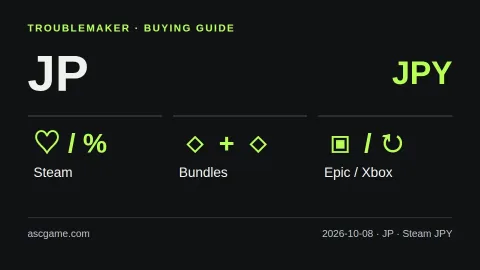
該國的貨幣與購買條件
請以 JPY 為基準比較 Steam 價格,Switch 用戶請另外確認 Nintendo 日本特價頁面。過去的遊戲優惠券購買技巧,現在必須先確認是否仍有新銷售。
請區分螢幕顯示語言與結算國家。閱讀韓語頁面並不代表適用韓國價格,閱讀英語頁面也不代表適用美國價格。變更 Steam 國家/地區需要實際居住地及該地區的支付條件。請勿認為使用國家選擇選單或 VPN 即可自由在低價地區購買。遊戲語言與商店介面語言無關,建議分別確認語音、字幕及介面支援情況。
從願望清單開始,捆綁包其次
首先將想要的遊戲加入 Steam 願望清單並利用特價通知。若僅因折扣率高而購買不感興趣的遊戲,總支出反而會增加。請比較本體單品與捆綁包價格,但「Complete the Set」捆綁包可以排除已擁有的遊戲,而「Must Purchase Together」捆綁包方式則不同。請根據您帳戶中顯示的包含項目及實際額外支付金額進行判斷。建議不要將不需要的原聲帶或裝飾性 DLC 的原價加總,以免讓節省金額看起來很大。
區分免費領取與試玩版
請在 Epic 官方免費遊戲頁面確認您帳戶可領取的商品及領取截止日期。需區分是免費發放、限時試玩還是基本免費遊戲。請勿僅因看到其他國家有發放的消息,就假設您的帳戶一定也能領取。確認是否已擁有該遊戲可避免重複購買。同時請思考您是否真的有計畫遊玩免費領取的遊戲。
單品購買與訂閱,何者有利
若計畫在短時間內遊玩多款遊戲,可以比較訂閱費用與單品價格。但由於各國家、裝置及方案提供的清單與功能不同,請先確認 Xbox 官方支援國家指南及目前的遊戲清單。不應只看首月特價,而應計算實際使用期間的總費用及下次續訂價格。訂閱到期或從清單中移除可能會導致遊戲無法繼續遊玩,且需另外確認自動續訂設定。若是會長期反覆遊玩的遊戲,建議同時比較單品購買價格。
結算前檢查清單
- 確認是本體還是 DLC,以及是否為想要的版本及包含項目。
- 以相同貨幣為基準,比較包含顯示稅額及額外費用的最終支付金額。
- 確認遊戲語言、裝置規格、遊戲序號及禮物卡的註冊地區。
- 確認免費領取/折扣截止日期及訂閱自動續訂設定。
- 保留訂單收據並確認銷售方的客戶支援條件。
不建議進行帳戶交易、來源不明的序號銷售或跨區購買。外部購買的 CD Key 不會在 Steam 獲得退款。上述方法是基於官方資料整理的 TroubleMaker 購買檢查清單,並非保證最低價,也不會因為推薦佣金而優先推薦特定銷售方。圖片為自製說明圖表,並非實際商店畫面或目前的折扣價格表。
官方來源 · 2026-10-08 確認
Steam 세일·할인 알림
Steam 번들 종류
Steam 지원 통화
Steam 계정 국가
Steam 게임 키 지역 제한
Epic 무료 게임
Xbox 구독 조건
Xbox 국가별 지원 확인
Nintendo 일본 공식 세일
Nintendo 일본 쿠폰 판매 종료
Gemini 自動翻譯 · 保留原文與來源地區。
原文語言 · ko
일본에서 게임 싸게 사는 법 — 세일·번들·무료 배포·구독
[Before buying in Japan]
This is a buying checklist, not a claim that one store is always cheapest. The reference currency for Steam in this guide is JPY; other stores may use a different currency. Compare the same game, platform and edition on your own account. Research checked on 2026-10-08. Prices, availability and subscription terms can change.
[image:conditions]
[Local payment and language checks]
Compare Steam prices in JPY; Switch players can also check Nintendo Japan’s sale page. Verify whether old voucher-buying advice still applies before following it.
Your selected page language is not your billing country. Steam country changes require the appropriate real residence and payment conditions; do not treat a country selector or a VPN as permission to buy in a cheaper region. Check the total at checkout, supported audio and subtitles, hardware requirements and available storage.
[Wishlist first, then compare bundles]
Put the games you actually want on your Steam wishlist and use sale notifications. Before paying, compare the single game with bundles. Complete the Set bundles can exclude games you already own; Must Purchase Together bundles work differently. Check what your account will actually receive rather than adding up list prices for unwanted extras.
[Free giveaways are not the same as trials]
Check Epic’s official free-games page and the offer shown to your account. Confirm the claim deadline and whether the offer is a giveaway, a time-limited trial or a free-to-play title. Do not assume every game is offered in every country. Claiming extras you will never play is not a reason to buy a larger paid package.
[Purchase or subscribe?]
Use subscription comparisons only after checking your country, device, plan and the current game catalog. A monthly subscription can be worth considering for a short period of play, while a purchase may suit a game you want to return to. Compare the total for your planned play period, not just the introductory month. Access can end when a subscription expires or a game leaves its catalog; recurring billing and renewal prices also matter.
[The checkout checklist]
1. Confirm the exact base game, edition and DLC included.
2. Compare final payable amounts in a consistent currency, including displayed taxes and fees.
3. Verify language, device and activation region before buying a key or gift card.
4. Check the giveaway or sale deadline and subscription renewal settings.
5. Keep the order receipt and check the seller’s support policy.
Avoid account sales, unknown key sellers and regional-circumvention instructions. Steam does not refund third-party CD keys. Advice here is our own practical comparison framework based on the official sources below, not an endorsement or a guarantee of the lowest price. The image is an original explanatory diagram, not a live store screenshot.
[Official sources · checked 2026-10-08]
Steam 세일·할인 알림
Steam 번들 종류
Steam 지원 통화
Steam 계정 국가
Steam 게임 키 지역 제한
Epic 무료 게임
Xbox 구독 조건
Xbox 국가별 지원 확인
Nintendo 일본 공식 세일
Nintendo 일본 쿠폰 판매 종료
留言 0