
インドネシアでゲームを安く買う方法 — セール・バンドル・無料配布・サブスク
インドネシアで購入する前に
無条件に最も安いストアを決めつけるのではなく、実際にプレイするゲームの最終決済額を減らす方法をまとめました。本ガイドでSteam価格を比較する通貨はIDR(インドネシアルピア)です。他のストアでは異なる通貨が使用される場合があります。同じゲーム名でも、プラットフォーム・エディション・本編の有無が異なれば同一商品ではありません。資料確認日は2026-10-08であり、価格・販売状況・サブスク条件は購入時に再確認する必要があります。
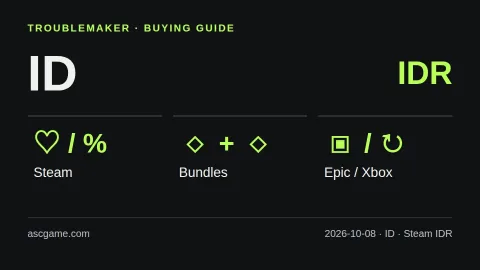
この国の通貨と購入条件
IDR価格の大きな数字を他の通貨と直接比較しないでください。対応言語とデバイスのスペックを確認し、公式アカウントで決済可能な単品・バンドル・サブスクを比較してください。
画面の言語と決済国を区別してください。日本語ページを読んでいるからといって日本価格が適用されるわけではなく、英語ページを読んでいるからといって米国価格が適用されるわけでもありません。Steamの国変更には実際の居住と該当地域の決済条件が必要です。国選択メニューやVPNを利用すれば安い地域で自由に買えると思わないでください。ゲームの言語もストア画面の言語とは別物であるため、音声・字幕・インターフェースの対応を個別に確認することをお勧めします。
ウィッシュリストから、バンドルはその次
まず欲しいゲームをSteamウィッシュリストに入れ、セール通知を活用してください。割引率が高いという理由だけで興味のないゲームまで購入すると、総支出はむしろ増えます。本編単品とバンドル価格を比較し、「Complete the Set」バンドルは既に所有しているゲームを除外できる一方、「Must Purchase Together」バンドルは方式が異なる点に注意してください。自分のアカウントに表示された内容と実際の追加決済額を基準に判断してください。不要なサウンドトラックや装飾用DLCの定価を足して、節約額を大きく見せる計算は避けた方が賢明です。
無料配布と体験版は区別
Epic公式の無料ゲームページで、自分のアカウントで受け取れる商品と受取期限を確認してください。無料配布なのか、期間限定の体験版なのか、基本無料ゲームなのかを区別する必要があります。他国で配布しているという情報だけを見て、自分のアカウントでも必ず受け取れると仮定しないでください。既に所有しているゲームか確認すれば重複購入も防げます。無料でもらったゲームを実際に楽しむ計画があるかも併せて考えてみてください。
単品購入とサブスク、どちらが有利か
短期間に複数のゲームを楽しむ計画なら、サブスク料金と単品価格を比較できます。ただし、国・デバイス・プランごとに提供されるリストや機能は異なるため、Xbox公式のサポート国案内と現在のゲームリストを先に確認してください。初月の特売だけでなく、実際に利用する期間の総費用と次回の更新価格を計算する必要があります。サブスクの期限切れやリスト除外でゲーム利用が終わる可能性があり、自動更新も別途確認が必要です。長く繰り返し遊ぶゲームなら、単品購入と併せて比較することをお勧めします。
決済直前のチェックリスト
- 本編かDLCか、希望のエディションと含まれる項目が合っているか確認します。
- 表示税・追加費用を含めた最終決済額を同じ通貨基準で比較します。
- ゲーム言語・デバイススペック・ゲームキーとギフトカードの登録地域を確認します。
- 無料受取・割引期限とサブスクの自動更新設定を確認します。
- 注文領収書を保管し、販売元のカスタマーサポート条件を確認します。
アカウント売買・出所不明のキー販売・地域迂回購入は推奨しません。外部で購入したCDキーはSteamで返金されません。上記の方法は公式資料に基づきまとめたTroubleMakerの購入チェックリストであり、最安値を保証したり、特定の販売元をコミッション目的で優先するものではありません。画像は自作の説明図であり、実際のストア画面や現在の割引価格表ではありません。
公式ソース · 2026-10-08 確認
Steam 세일·할인 알림
Steam 번들 종류
Steam 지원 통화
Steam 계정 국가
Steam 게임 키 지역 제한
Epic 무료 게임
Xbox 구독 조건
Xbox 국가별 지원 확인
Gemini 自動翻訳 · 原文と元の地域を保持します。
原文の言語 · ko
인도네시아에서 게임 싸게 사는 법 — 세일·번들·무료 배포·구독
[Before buying in Indonesia]
This is a buying checklist, not a claim that one store is always cheapest. The reference currency for Steam in this guide is IDR; other stores may use a different currency. Compare the same game, platform and edition on your own account. Research checked on 2026-10-08. Prices, availability and subscription terms can change.
[image:conditions]
[Local payment and language checks]
Do not compare the large numerical values in IDR directly with other currencies. Check language and hardware requirements, then compare singles, bundles and subscriptions on your official account.
Your selected page language is not your billing country. Steam country changes require the appropriate real residence and payment conditions; do not treat a country selector or a VPN as permission to buy in a cheaper region. Check the total at checkout, supported audio and subtitles, hardware requirements and available storage.
[Wishlist first, then compare bundles]
Put the games you actually want on your Steam wishlist and use sale notifications. Before paying, compare the single game with bundles. Complete the Set bundles can exclude games you already own; Must Purchase Together bundles work differently. Check what your account will actually receive rather than adding up list prices for unwanted extras.
[Free giveaways are not the same as trials]
Check Epic’s official free-games page and the offer shown to your account. Confirm the claim deadline and whether the offer is a giveaway, a time-limited trial or a free-to-play title. Do not assume every game is offered in every country. Claiming extras you will never play is not a reason to buy a larger paid package.
[Purchase or subscribe?]
Use subscription comparisons only after checking your country, device, plan and the current game catalog. A monthly subscription can be worth considering for a short period of play, while a purchase may suit a game you want to return to. Compare the total for your planned play period, not just the introductory month. Access can end when a subscription expires or a game leaves its catalog; recurring billing and renewal prices also matter.
[The checkout checklist]
1. Confirm the exact base game, edition and DLC included.
2. Compare final payable amounts in a consistent currency, including displayed taxes and fees.
3. Verify language, device and activation region before buying a key or gift card.
4. Check the giveaway or sale deadline and subscription renewal settings.
5. Keep the order receipt and check the seller’s support policy.
Avoid account sales, unknown key sellers and regional-circumvention instructions. Steam does not refund third-party CD keys. Advice here is our own practical comparison framework based on the official sources below, not an endorsement or a guarantee of the lowest price. The image is an original explanatory diagram, not a live store screenshot.
[Official sources · checked 2026-10-08]
Steam 세일·할인 알림
Steam 번들 종류
Steam 지원 통화
Steam 계정 국가
Steam 게임 키 지역 제한
Epic 무료 게임
Xbox 구독 조건
Xbox 국가별 지원 확인
コメント 0