
如何在西班牙低价购买游戏 — 特惠、捆绑包、免费领取与订阅
在西班牙购买前
与其断定哪家商店绝对最便宜,我整理了一些方法来降低你实际要玩的游戏的最终支付金额。在本指南中,比较 Steam 价格所使用的货币为欧元 (EUR)。其他商店可能会使用不同的货币。即使游戏名称相同,如果平台、版本或是否包含本体不同,它们也不是同一商品。资料核实日期为 2026-10-08,价格、销售情况和订阅条件需在购买时再次确认。
该国的货币与购买条件
请确认 EUR 价格和西班牙语支持。即使西班牙和拉丁美洲使用的语言相似,也不要假设货币、销售地区和游戏激活码的使用条件相同。
请区分屏幕语言和支付国家。阅读韩语页面并不意味着适用韩国价格,阅读英语页面也不意味着适用美国价格。更改 Steam 国家/地区需要实际居住地和该地区的支付条件。不要认为利用国家选择菜单或 VPN 就可以自由地在低价地区购买。游戏语言也与商店界面语言无关,因此建议分别确认语音、字幕和界面支持。
先看愿望单,再看捆绑包
首先将想要的游戏放入 Steam 愿望单并利用特惠提醒。如果仅仅因为折扣力度大就购买了不感兴趣的游戏,总支出反而会增加。比较本体单品和捆绑包价格时,请注意 "Complete the Set" 捆绑包可以排除已拥有的游戏,而 "Must Purchase Together" 捆绑包的运作方式不同。请根据你账户中显示的包含项目和实际额外支付金额进行判断。最好不要将不需要的原声带或装饰性 DLC 的原价加进去,从而让节省金额看起来很大。
区分免费领取与试玩版
请在 Epic 官方免费游戏页面确认可以通过你的账户领取的商品及领取截止日期。还需要区分是免费发放、限时试玩还是基础免费游戏。不要仅仅因为看到其他国家在发放,就假设你的账户也一定能领取。确认是否已拥有该游戏可以避免重复购买。同时思考一下你是否真的有计划去玩免费领取的游戏。
单品购买与订阅,哪个更划算?
如果你计划在短时间内游玩多款游戏,可以比较订阅费和单品价格。但由于提供的游戏列表和功能因国家、设备和计划而异,请先查看 Xbox 官方支持国家指南和当前游戏列表。不要只看首月特价,而应计算实际使用期间的总费用和下次续费价格。订阅到期或从列表中移除可能会导致游戏无法继续游玩,自动续费也需要单独确认。如果是打算长期反复游玩的游戏,建议同时比较单品购买。
支付前检查清单
- 确认是本体还是 DLC,想要的版本和包含项目是否正确。
- 以相同货币为基准,比较包含显示税费和额外费用的最终支付金额。
- 确认游戏语言、设备配置以及游戏激活码和礼品卡的注册地区。
- 确认免费领取/折扣截止日期和订阅自动续费设置。
- 保管订单收据并确认销售方的客户支持条件。
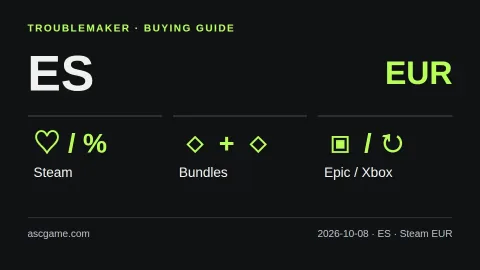
不建议进行账户交易、来源不明的激活码销售或绕过地区限制购买。外部购买的 CD Key 在 Steam 上不予退款。上述方法是基于官方资料整理的 TroubleMaker 购买检查清单,并非保证最低价或因推荐佣金而优先推荐特定销售方的文章。图片为自制说明图示,并非实际商店界面或当前折扣价格表。
官方来源 · 2026-10-08 核实
Steam 세일·할인 알림
Steam 번들 종류
Steam 지원 통화
Steam 계정 국가
Steam 게임 키 지역 제한
Epic 무료 게임
Xbox 구독 조건
Xbox 국가별 지원 확인
Gemini 自动翻译 · 保留原文与来源地区。
原文语言 · ko
스페인에서 게임 싸게 사는 법 — 세일·번들·무료 배포·구독
[Before buying in Spain]
This is a buying checklist, not a claim that one store is always cheapest. The reference currency for Steam in this guide is EUR; other stores may use a different currency. Compare the same game, platform and edition on your own account. Research checked on 2026-10-08. Prices, availability and subscription terms can change.
[image:conditions]
[Local payment and language checks]
Check EUR prices and Spanish support. Shared languages do not make Spain and Latin American markets identical in currency, sales region or key activation conditions.
Your selected page language is not your billing country. Steam country changes require the appropriate real residence and payment conditions; do not treat a country selector or a VPN as permission to buy in a cheaper region. Check the total at checkout, supported audio and subtitles, hardware requirements and available storage.
[Wishlist first, then compare bundles]
Put the games you actually want on your Steam wishlist and use sale notifications. Before paying, compare the single game with bundles. Complete the Set bundles can exclude games you already own; Must Purchase Together bundles work differently. Check what your account will actually receive rather than adding up list prices for unwanted extras.
[Free giveaways are not the same as trials]
Check Epic’s official free-games page and the offer shown to your account. Confirm the claim deadline and whether the offer is a giveaway, a time-limited trial or a free-to-play title. Do not assume every game is offered in every country. Claiming extras you will never play is not a reason to buy a larger paid package.
[Purchase or subscribe?]
Use subscription comparisons only after checking your country, device, plan and the current game catalog. A monthly subscription can be worth considering for a short period of play, while a purchase may suit a game you want to return to. Compare the total for your planned play period, not just the introductory month. Access can end when a subscription expires or a game leaves its catalog; recurring billing and renewal prices also matter.
[The checkout checklist]
1. Confirm the exact base game, edition and DLC included.
2. Compare final payable amounts in a consistent currency, including displayed taxes and fees.
3. Verify language, device and activation region before buying a key or gift card.
4. Check the giveaway or sale deadline and subscription renewal settings.
5. Keep the order receipt and check the seller’s support policy.
Avoid account sales, unknown key sellers and regional-circumvention instructions. Steam does not refund third-party CD keys. Advice here is our own practical comparison framework based on the official sources below, not an endorsement or a guarantee of the lowest price. The image is an original explanatory diagram, not a live store screenshot.
[Official sources · checked 2026-10-08]
Steam 세일·할인 알림
Steam 번들 종류
Steam 지원 통화
Steam 계정 국가
Steam 게임 키 지역 제한
Epic 무료 게임
Xbox 구독 조건
Xbox 국가별 지원 확인
评论 0