
شحن موبايل لجندز كمبوديا: الماس، معرف المستخدم ومعرف المنطقة
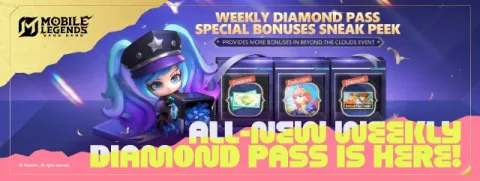
اختر عملية الشراء التي تتوافق مع خطتك
بالنسبة لاعبي Mobile Legends: Bang Bang في كمبوديا، توفر صفحة Codashop المحلية خدمة شحن الحساب مباشرة. تدرج صفحة الدفع الخاصة بـ MOONTON أيضًا Codashop كشريك شحن. الماس العادي، وتصريح الماس الأسبوعي (Weekly Diamond Pass)، وتصريح الشفق (Twilight Pass) هي منتجات منفصلة: لا ينبغي مقارنة التصريح باقة الماس مقدمة مجرد النظر إلى أكبر رقم على لافتته.
قرر ما تريد شراؤه بالفعل في اللعبة قبل فتح صفحة الدفع. للشراء الفوري للمظهر (skin)، قارن الماس المتاح الآن بتكلفة المظهر الحالية داخل اللعبة. بالنسبة للتصريح، اقرأ جدول التحصيل والشروط أولاً؛ قد لا تؤدي المكافأة التي تتطلب تحصيلاً لاحقًا إلى حل النقص اليومي. الرسم التوضيحي أعلاه هو صورة مرجعية للمزود، وليس عرضًا ترويجيًا حاليًا مضمونًا بواسطة TroubleMaker.
معرف المستخدم ومعرف المنطقة: حقلان، مستلم واحد
تطلب تدفق عملية الشراء في كمبوديا كل من معرف المستخدم ومعرف المنطقة. الاسم المستعار المعروض ليس بديلاً. انسخ كليهما من ملف تعريف اللعبة الخاص بك وقارن كل حقل على حدة قبل تأكيد الطلب. إذا كنت تشتريه لصديق، فاطلب منه هذين المعرفين بدلاً من تفاصيل تسجيل الدخول الخاصة به. لا يثبت الاسم المستعار الذي تبدو صحته وحدها أنك اخترت الحساب المقصود.
- افتح صفحة Codashop كمبوديا المرتبطة أدناه وأكد محدد الدولة.
- أدخل معرف المستخدم ومعرف المنطقة الخاصين باللعبة في حقولهما الخاصة.
- اختر الماس أو التصريح المحدد الذي تنوي شراءه.
- تحقق من المستلم والمنتج والعملة وإجمالي المبلغ المستحق الدفع نهائيًا معًا.
- أكمل الدفع على موقع المزود، واحتفظ بإيصال الدفع ثم تحقق من رصيد اللعبة أو حالة التصريح.
توفر الدفع المحلي
تدرج صفحة كمبوديا Bakong وWing وPi Pay والبطاقات والخيارات المحلية الأخرى. في وقت فحصنا، تم تمييز خيارات Smart وCellcard وMetfone بـ صيانة. لا يعني الشعار المدرج أن طريقة الدفع قابلة للاستخدام اليوم. حدد طريقة مفعلة عند الدفع واقرأ رسومها النهائية وعملتها قبل الدفع. لا تجمع TroubleMaker معرف اللاعب، أو رقم البطاقة، أو تحويل المحفظة، أو رمز الدفع لهذا الدليل.
تم الدفع، ولكن عملية الشراء مفقودة
افصل تأكيد الدفع عن التسليم إلى اللعبة. احتفظ بمرجع طلب المزود، والوقت، والمنتج، والمستلم المقصود معًا. إذا كانت محفظتك تظهر خصمًا ولكن اللعبة لا تظهر عملية الشراء، فاستخدم رابط الدعم الموجود على صفحة طلب هذا المزود قبل إجراء عملية دفع أخرى. يمكن أن يؤدي الطلب الثاني إلى رسوم ثانية دون تصحيح المعرف في الطلب الأول. شارك الإيصالات بشكل خاص مع دعم المزود؛ واجعل رموز التحقق من المحفظة وكلمات مرور اللعبة بعيدة عن التعليقات العامة.
تم فحص المصادر في 7 أكتوبر 2026
ترجمة آلية من Gemini · يُحفظ النص الأصلي ومنطقة المصدر.
اللغة الأصلية · en
Mobile Legends Cambodia top-up: Diamonds, User ID and Zone ID
[image:game]
[Choose the purchase that matches your plan]
For Mobile Legends: Bang Bang players in Cambodia, the local Codashop page offers a direct account top-up. MOONTON's payment page also lists Codashop as a recharge partner. Ordinary Diamonds, Weekly Diamond Pass and Twilight Pass are separate products: a pass should not be compared with an upfront Diamond package merely by looking at the largest number on its banner.
Decide what you actually want to buy in the game before opening checkout. For an immediate skin purchase, compare the Diamonds available now with the skin's current in-game cost. For a pass, read the collection schedule and conditions first; a reward that requires later collection may not solve today's shortfall. The illustration above is a provider reference image, not a current promotion guaranteed by TroubleMaker.
[User ID and Zone ID: two fields, one recipient]
The Cambodia purchase flow asks for both User ID and Zone ID. A display nickname is not a substitute. Copy both from your game profile and compare each field separately before confirming. If buying for a friend, ask them for those two identifiers rather than their login details. A correct-looking nickname alone does not prove that you selected the intended account.
1. Open the Cambodia Codashop page linked below and confirm the country selector.
2. Enter the game's User ID and Zone ID in their respective fields.
3. Choose Diamonds or the specific pass you intended to purchase.
4. Check the recipient, product, currency and final payable total together.
5. Complete payment on the provider's site, retain its receipt and then check the game balance or pass status.
[Local payment availability]
The Cambodia page lists Bakong, Wing, Pi Pay, cards and other local options. At our check, the Smart, Cellcard and Metfone options were marked Maintenance. A listed logo does not mean a payment method is usable today. Select an enabled method at checkout and read its final fee and currency before paying. TroubleMaker does not collect a player ID, card number, wallet transfer or payment code for this guide.
[Payment went through, but the purchase is missing]
Separate a payment confirmation from delivery to the game. Keep the provider order reference, time, product and intended recipient together. If your wallet shows a debit but the game does not show the purchase, use the support link on that provider's order page before making another payment. A second order can create a second charge without correcting an identifier in the first one. Share receipts privately with provider support; keep wallet verification codes and game passwords out of public comments.
[Sources checked on 7 October 2026]
https://www.codashop.com/km-kh/mobile-legends
https://www.mobilelegends.com/payment/codexchange
تعليقات 1
When the provider page indicates that specific carrier options like Cellcard are under maintenance, does the checkout interface prevent selecting them, or do those methods fail only after attempting the transfer?